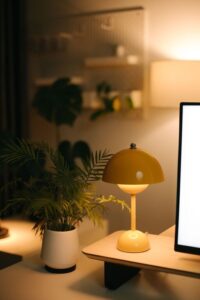
Tips for Creating a Cozy and Productive Home Office Environment

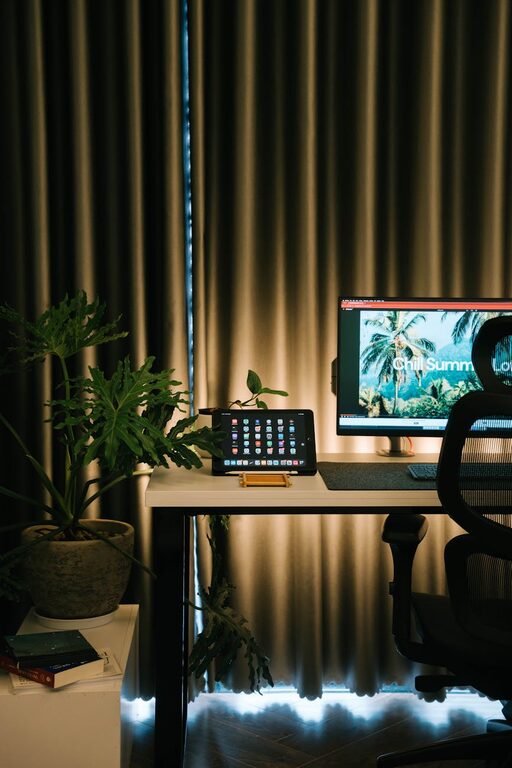
Creating a cozy and productive home office environment is essential for anyone working from home or managing personal projects. A well-designed workspace not only makes you feel comfortable but can also improve focus and efficiency. This guide offers practical tips to help you set up a home office that balances comfort and functionality.
Choose the Right Location
Selecting the right spot in your home for your office is the first step. Ideally, pick a quiet area with plenty of natural light. Natural light can boost mood and reduce eye strain, making it easier to work for longer periods.
If space is limited, consider:
– A corner of a bedroom or living room
– A nook by a window
– A converted closet or small separate room
Avoid high-traffic areas to minimize distractions.
Invest in Comfortable Furniture
Comfort is key when it comes to furniture in your home office. The right chair and desk can prevent discomfort and help maintain good posture.
Desk
– Choose a desk with enough surface area for your computer, documents, and any tools you need.
– Adjustable desks, including sit-stand models, can offer flexibility and promote movement.
Chair
– Opt for an ergonomic chair with good lumbar support.
– If you don’t want to buy an expensive office chair, adding cushions or lumbar rolls can improve comfort.
Organize with Purpose
A clutter-free workspace helps maintain focus. Organizing your desk and storage areas encourages a more productive environment.
Tips for Organization
– Use shelves or filing cabinets to keep paperwork tidy.
– Employ desk organizers for pens, notepads, and small devices.
– Keep cables under control with clips or sleeves.
– Digitize documents when possible to reduce paper clutter.
Personalize Your Space
Adding personal touches can make your home office feel inviting and motivate you. However, keep personalization balanced to avoid distractions.
Ideas for personalization include:
– Framed photos or artwork you enjoy
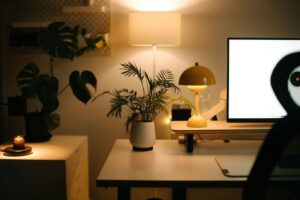
– Plants, which also improve air quality
– A colorful rug or throw pillow
– Inspirational quotes or calendars
Set Up Proper Lighting
Good lighting reduces eye strain and sets the right mood for work.
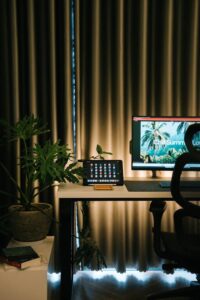
– Use a combination of natural light and task lighting.
– Position your desk near a window but avoid glare on your screen.
– A desk lamp with adjustable brightness is great for focused work.
– Warm light bulbs can create a cozy atmosphere.
Manage Noise and Distractions
Sound can impact your concentration. If you live in a noisy environment, consider solutions like:
– Noise-cancelling headphones or earbuds
– White noise machines or apps
– Thick curtains and rugs that absorb sound
– Doors or partitions to separate your office space
Maintain a Comfortable Temperature
Your workspace should be neither too hot nor too cold. Comfortable temperature helps you stay focused and productive.
– Use a fan, heater, or portable air conditioner as needed.
– Wearing comfortable clothing appropriate for the room temperature also helps.
Establish a Routine
Even the best environment won’t help if you don’t manage your time well. Set regular working hours and take breaks.
– Use timers to remind yourself to stand or stretch.
– Include short breaks to recharge without losing focus.
– Define start and end times to create work-life balance.
Technology and Connectivity
Reliable technology is foundational to a productive home office.
– Ensure your internet connection is stable and fast.
– Use quality headphones and microphones for virtual meetings.
– Keep your computer and software updated.
– Back up important files regularly.
Final Thoughts
Designing a cozy and productive home office environment combines comfort, organization, and personal touches. By thoughtfully choosing your location, furniture, and accessories, you create a space where work becomes more enjoyable and efficient. Remember, the best office setup is one that suits your personal needs and supports your daily routine.